Every new hire grows your team.Not your software bill.
14 days free · 4 team members · No credit card
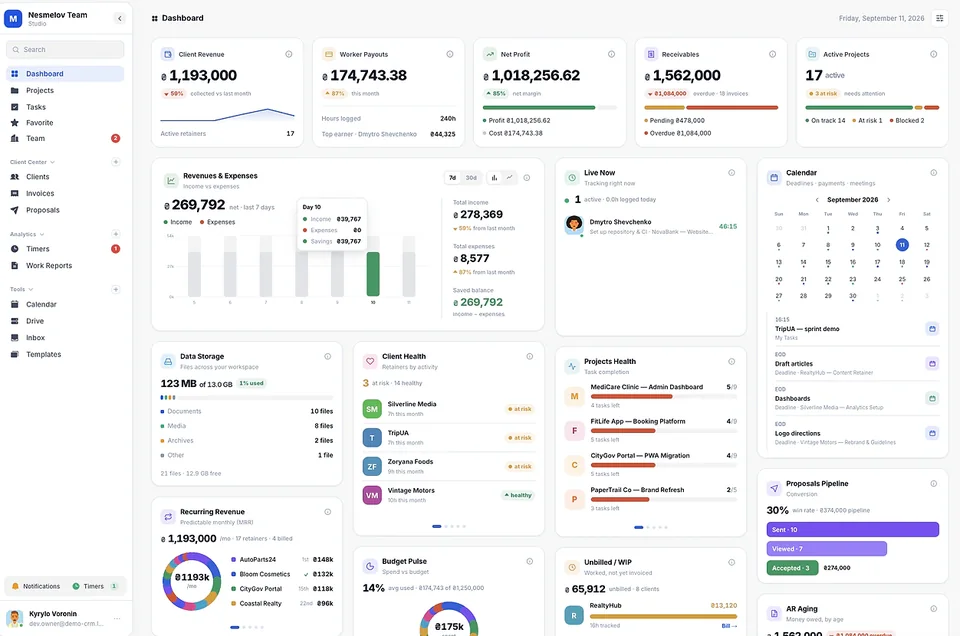
Melororium gives agencies and studios one flat price to plan projects, organize the work, and keep every file next to it — no matter how big your team gets.
- Take your data with you, anytime.
- No more juggling five different apps.
KANBAN, CLIENT CRM, INVOICES & MORE — ALL 12 INCLUDED IN EVERY PLAN
Everything your team needs. Nothing it doesn't.
Kanban, time tracking, client CRM, invoices, work reports, and more — all 12 core modules ship with every plan. Agency and Studio users can layer on add-on modules as they grow, up to 28 tools total.
See all modules & add-ons →Live Employee Timers
Time logs live inside active tasks. See who's working right now, no chasing anyone for updates.
See which projects need attention before you have to ask.
Every project gets a live health score from real task completion — the ones falling behind stand out immediately.
AI Workflow Optimization
Connect your own Gemini, OpenAI or Claude key. AI flags bottlenecks and estimates task hours, right on the board.
Drag-and-Drop Recurring Tasks
Drag a task into next month's tab. It comes back to the live board exactly when it's due.
Cost vs. Revenue Reports
See what each project actually returns against the hours it costs to deliver.
Get pinged for what actually matters, not every card that moves.
Task completions, payments and budget warnings hit Slack. Timer starts stay out on purpose.
Interactive sandbox
28 Tools. One Login.
Zero Per-Seat Fees.
From kanban boards to time tracking to invoicing — explore the tools built into Melororium below. Click any tile to see it in action.
Start Free Demo →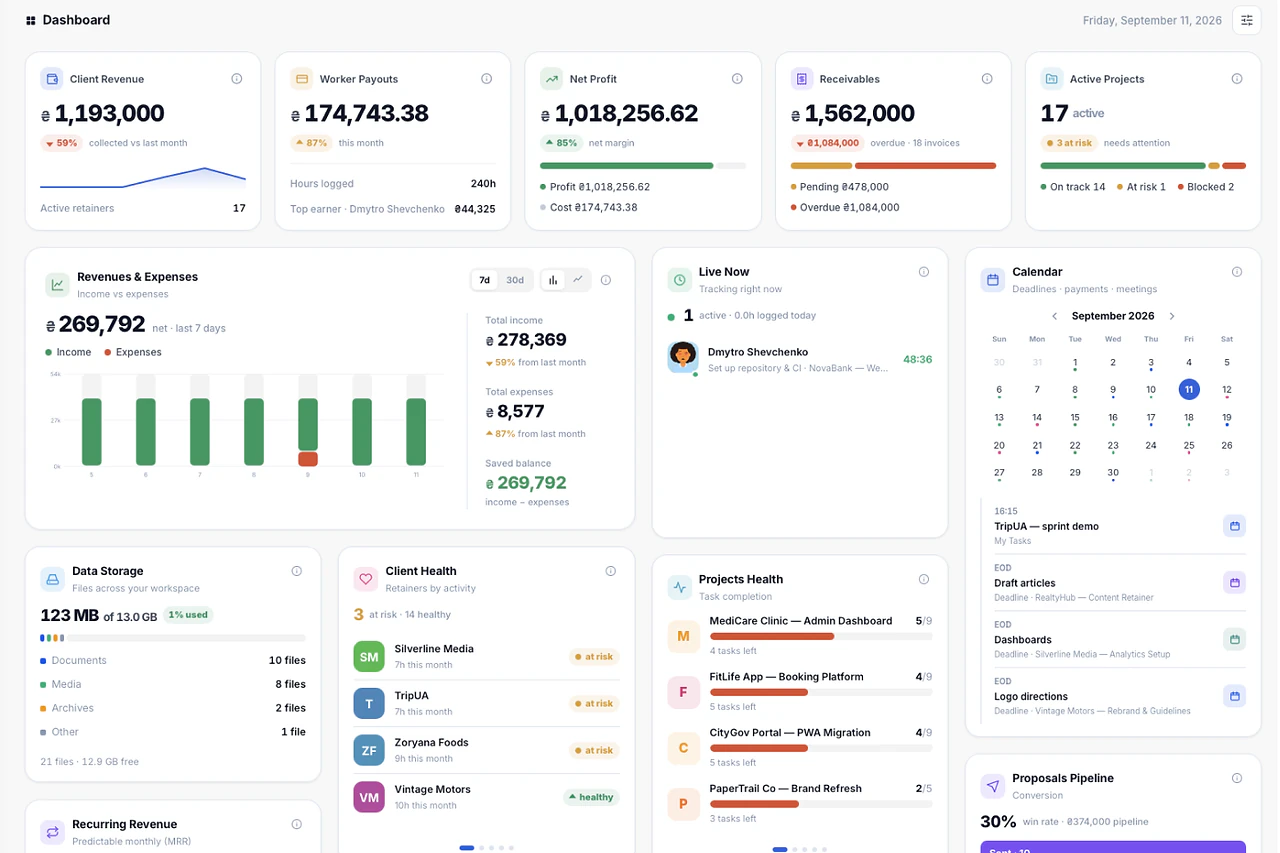
Dashboard · 01 / 28
Every number that matters, on one screen.
Client revenue, worker payouts, net profit, receivables and project health update live as your team logs time, closes tasks and marks payments received.
See details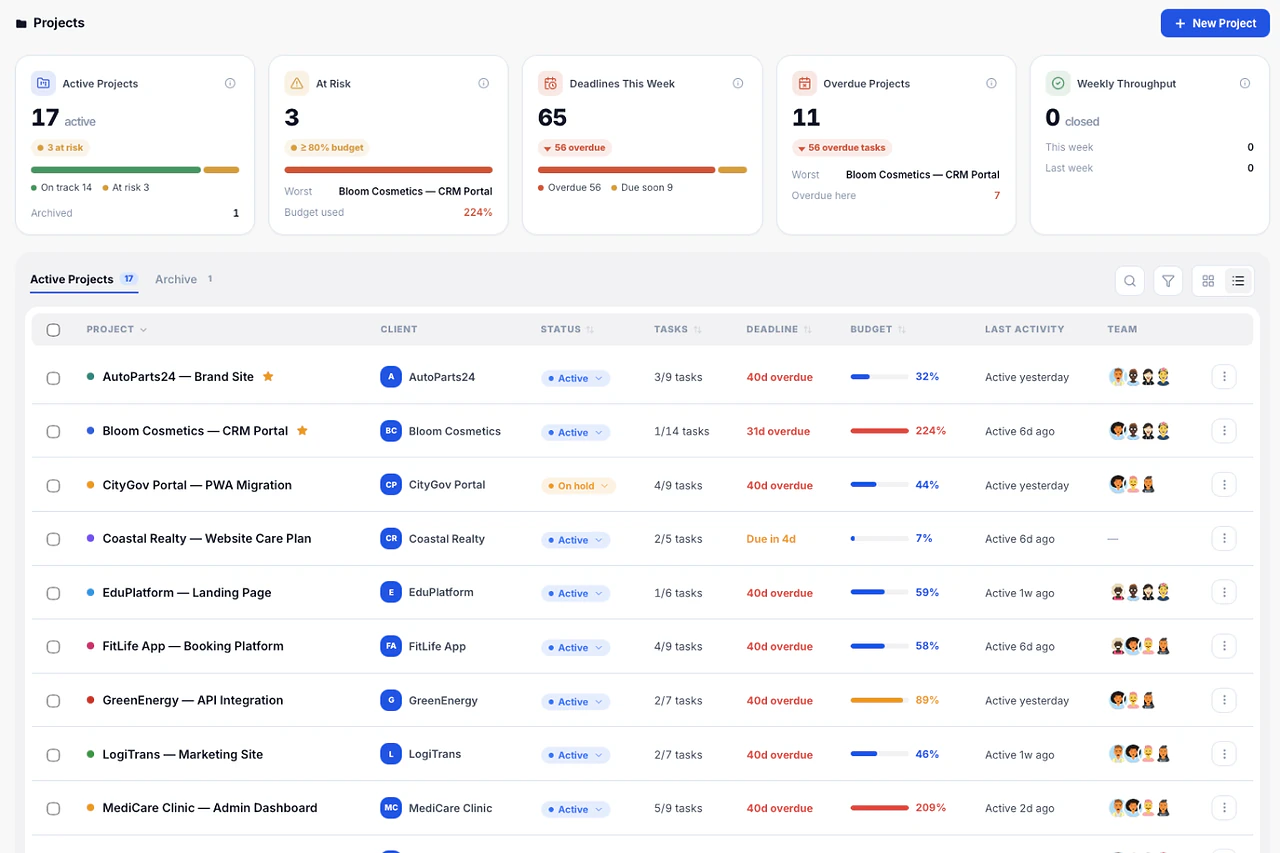
Projects · 02 / 28
Every client project with budget, deadline and status.
The portfolio view shows progress, open tasks and budget burn per project, so you see which ones need attention before the client does.
See details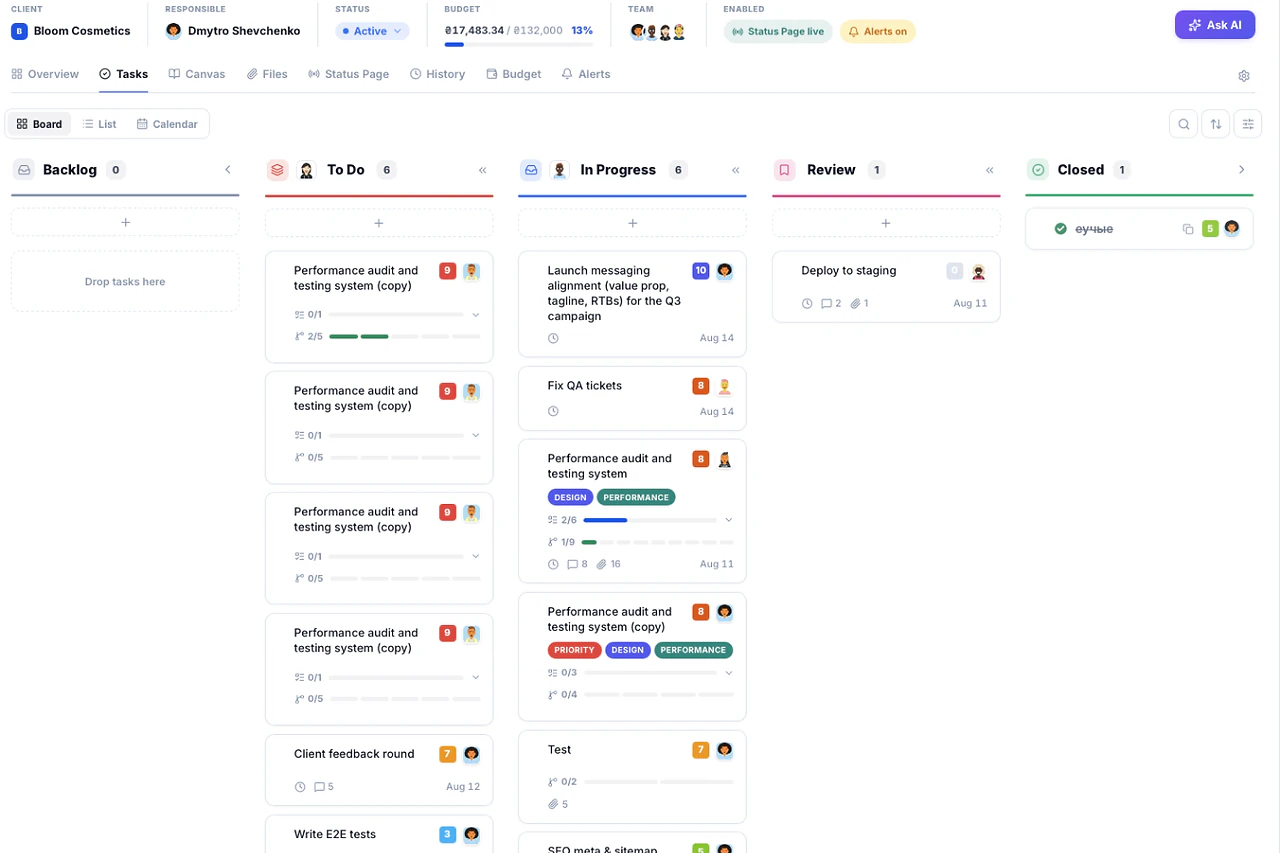
Tasks · 03 / 28
Kanban, list and calendar — the same tasks, three views.
Tasks carry priority, due date, tags and subtasks — each subtask with its own timer. Switch between board, list and calendar without losing context.
See details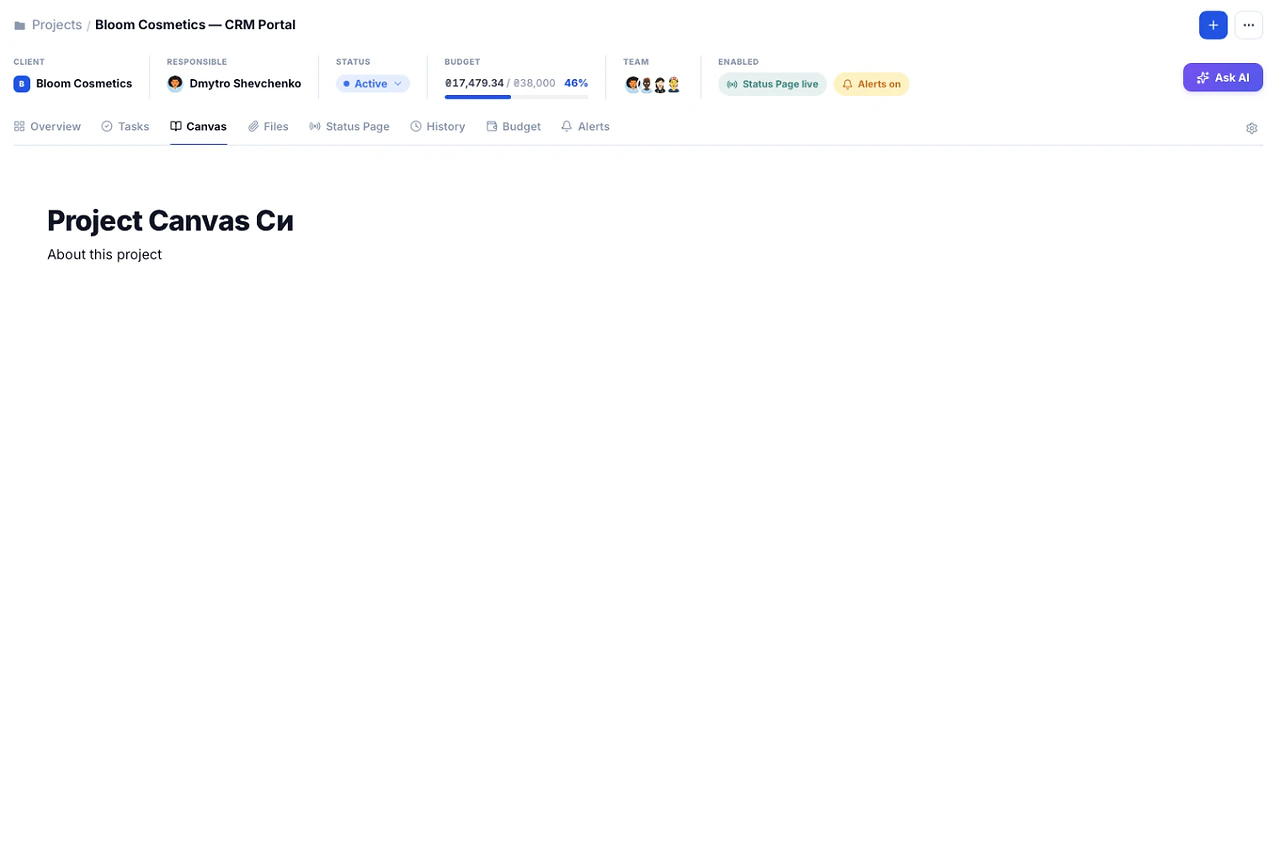
Canvas · 04 / 28
A shared working document inside every project.
One editable document per project, with headings, lists and checklists. Project context stays visible to the whole team instead of getting lost in a thread.
See details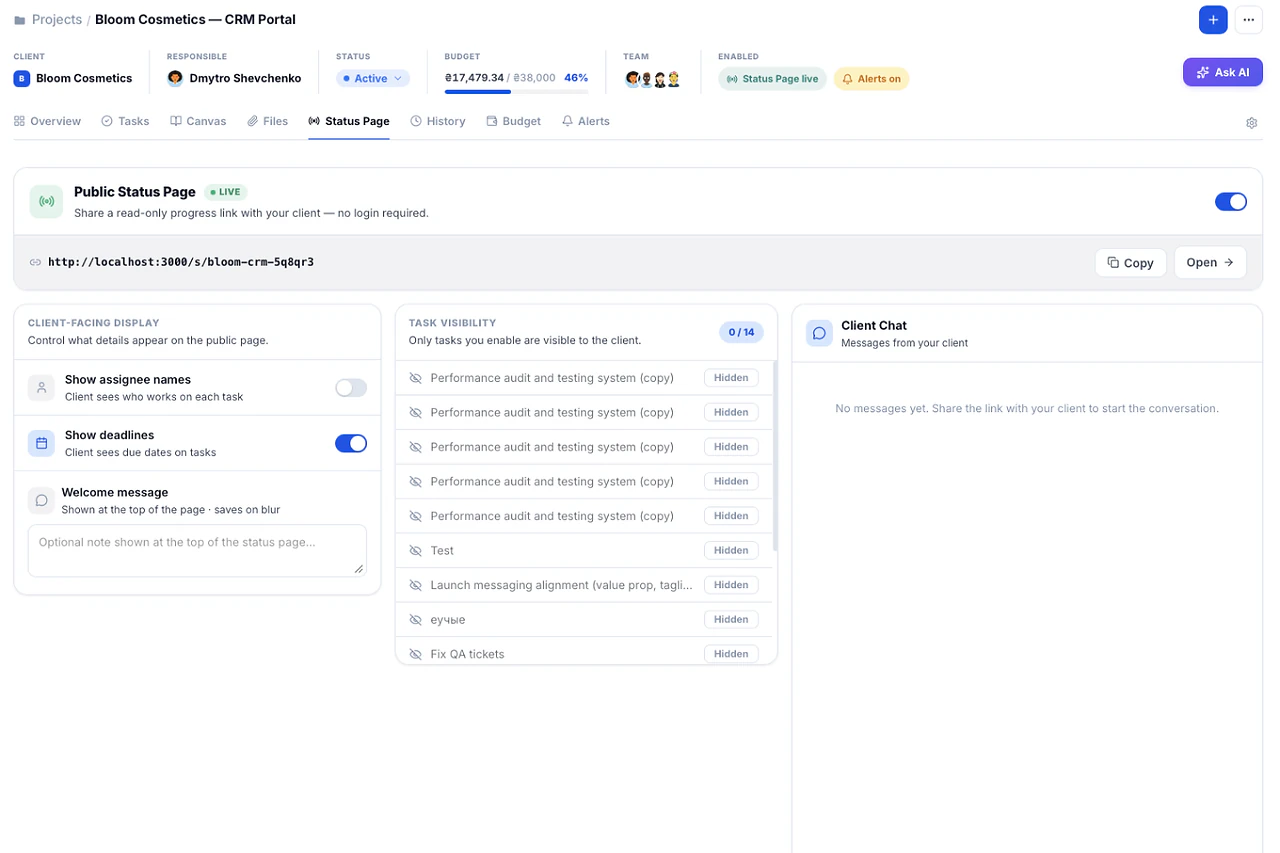
Public Status Page · 05 / 28
Give clients a live view without a login.
A shareable link shows project progress, completed milestones and what is next. No guest seat, no account, no accidental edits.
See details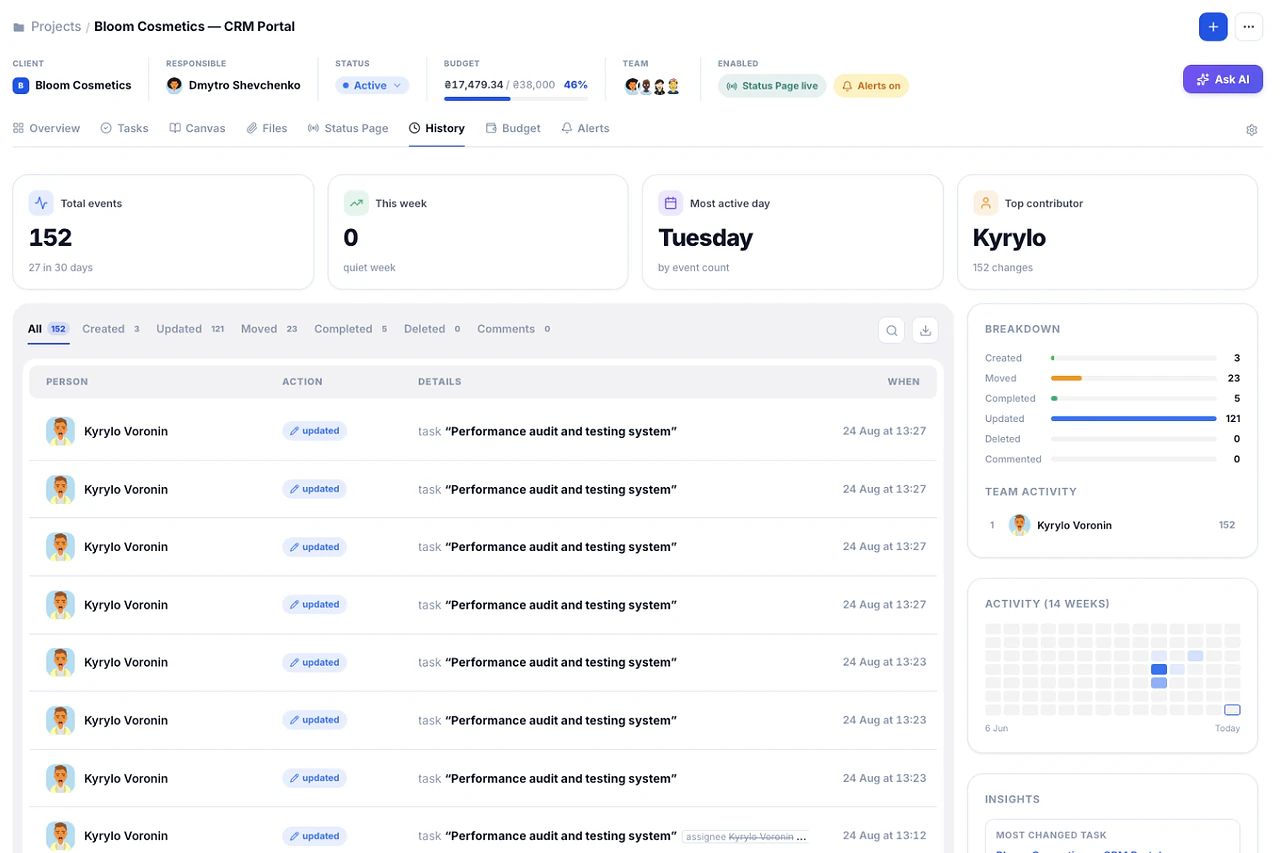
Project History · 06 / 28
Who changed what, and when.
A timeline of every status change, reassignment and update on the project, so disputes are settled by the record instead of by memory.
See details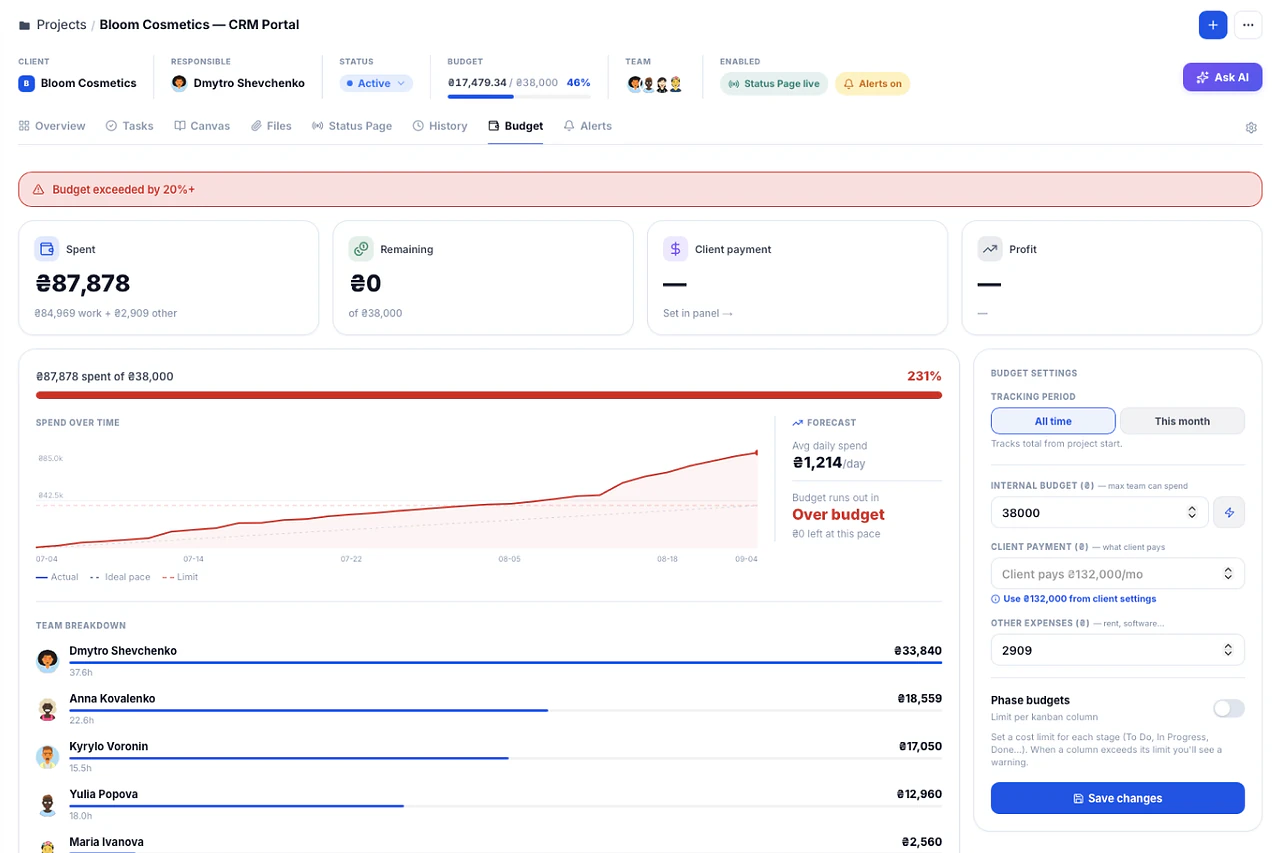
Budget Guardian · 07 / 28
Know a project is over budget while you can still fix it.
Spend is calculated from time logs against the project budget in real time. Warnings fire at 80%, 100% and 120% — not at the invoice.
See details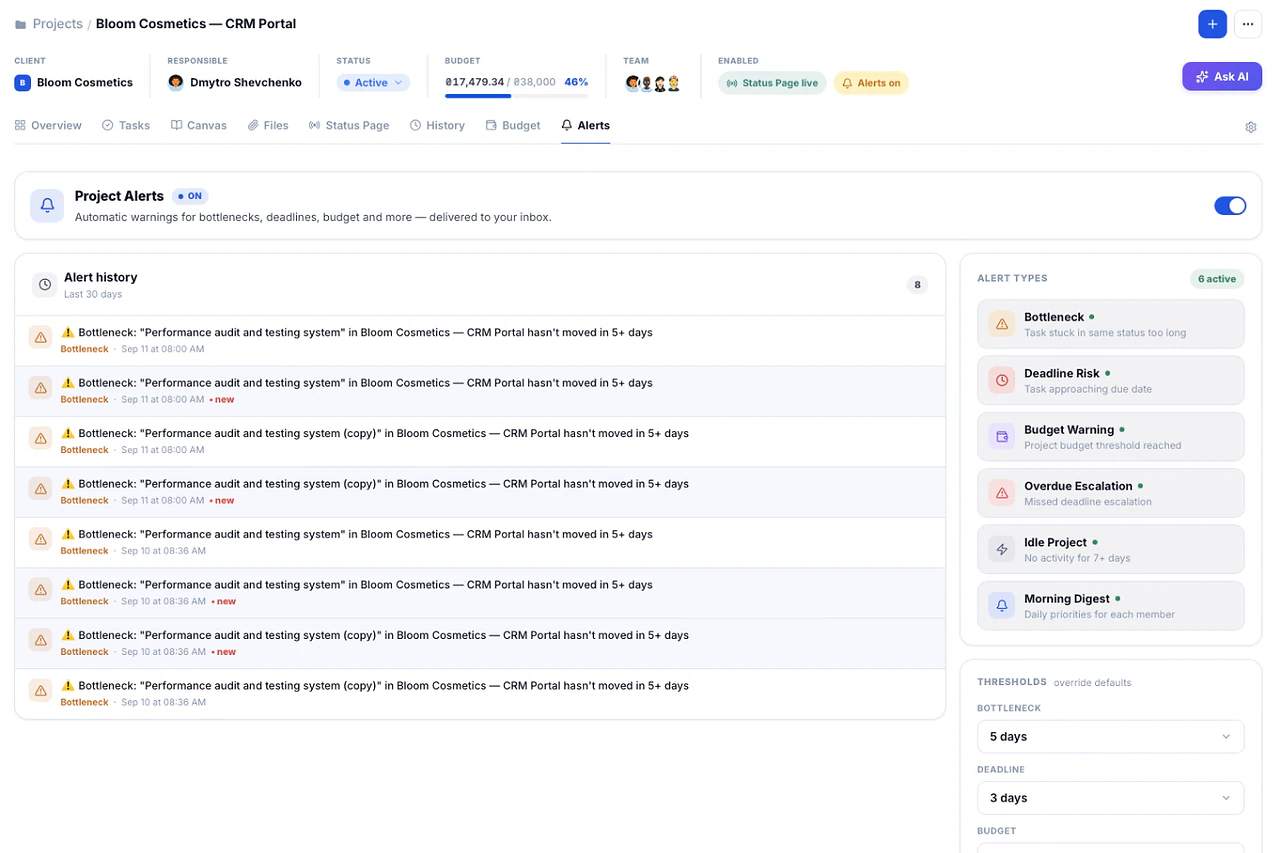
Project Alerts · 08 / 28
Catch scope creep and stalled projects before the client does.
Alerts fire on overdue tasks, stalled projects and budget thresholds — before the problem reaches the client.
See details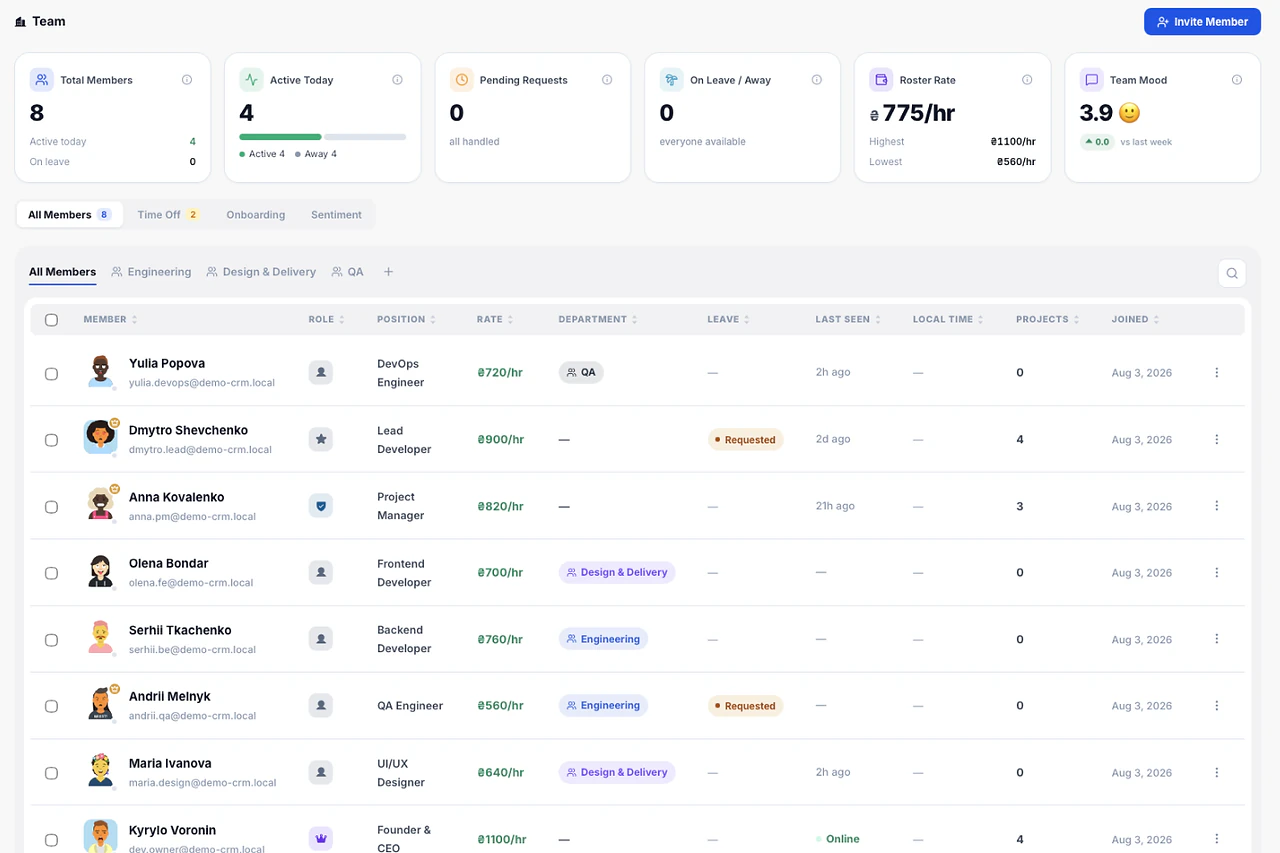
Team · 09 / 28
Roles, rates and workload for the whole team.
Owner, Admin, Team Lead and Member roles, an hourly rate per person, and a workload view that shows who is overloaded and who has room this week.
See details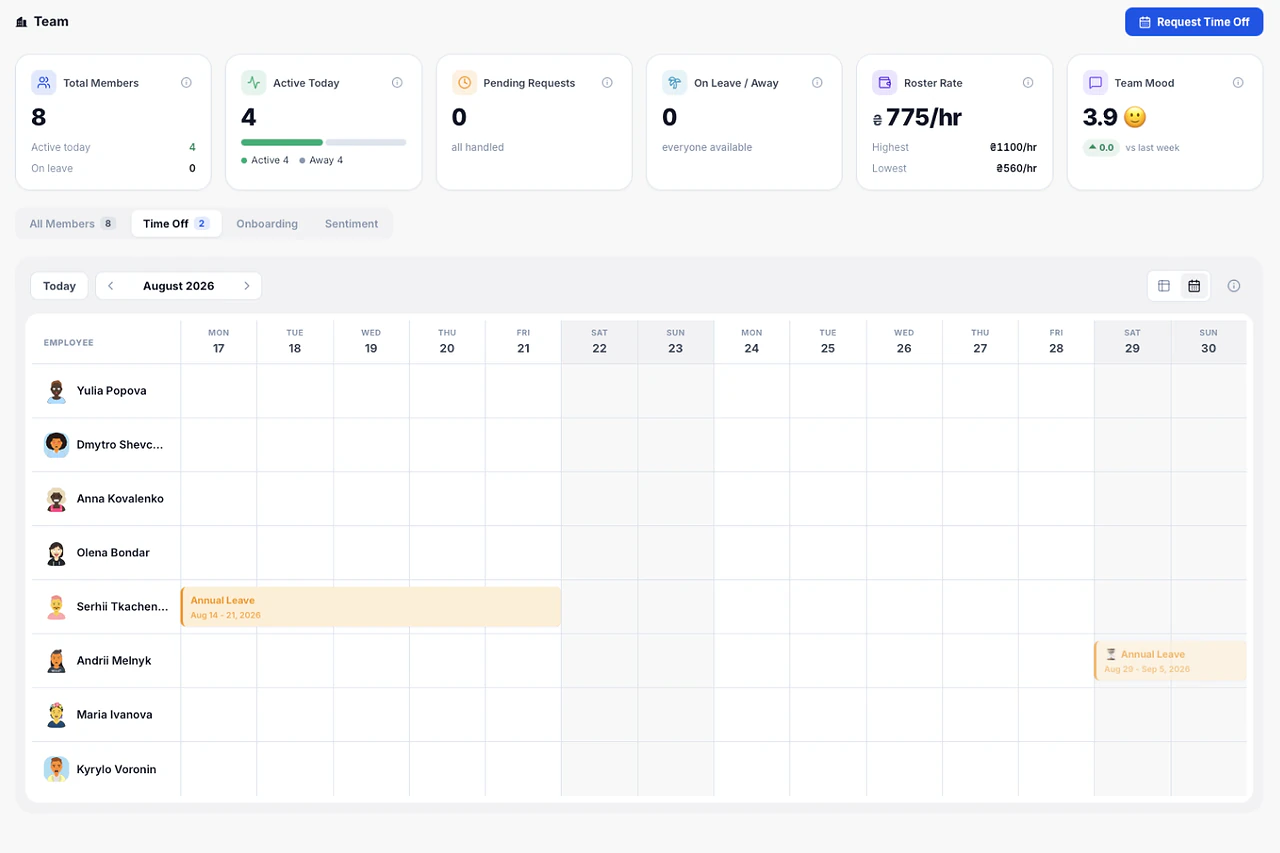
Time Off · 10 / 28
Vacations and sick days on the same calendar as deadlines.
Requests, approvals and days used sit next to project dates, so nobody plans a launch for a week when half the team is out.
See details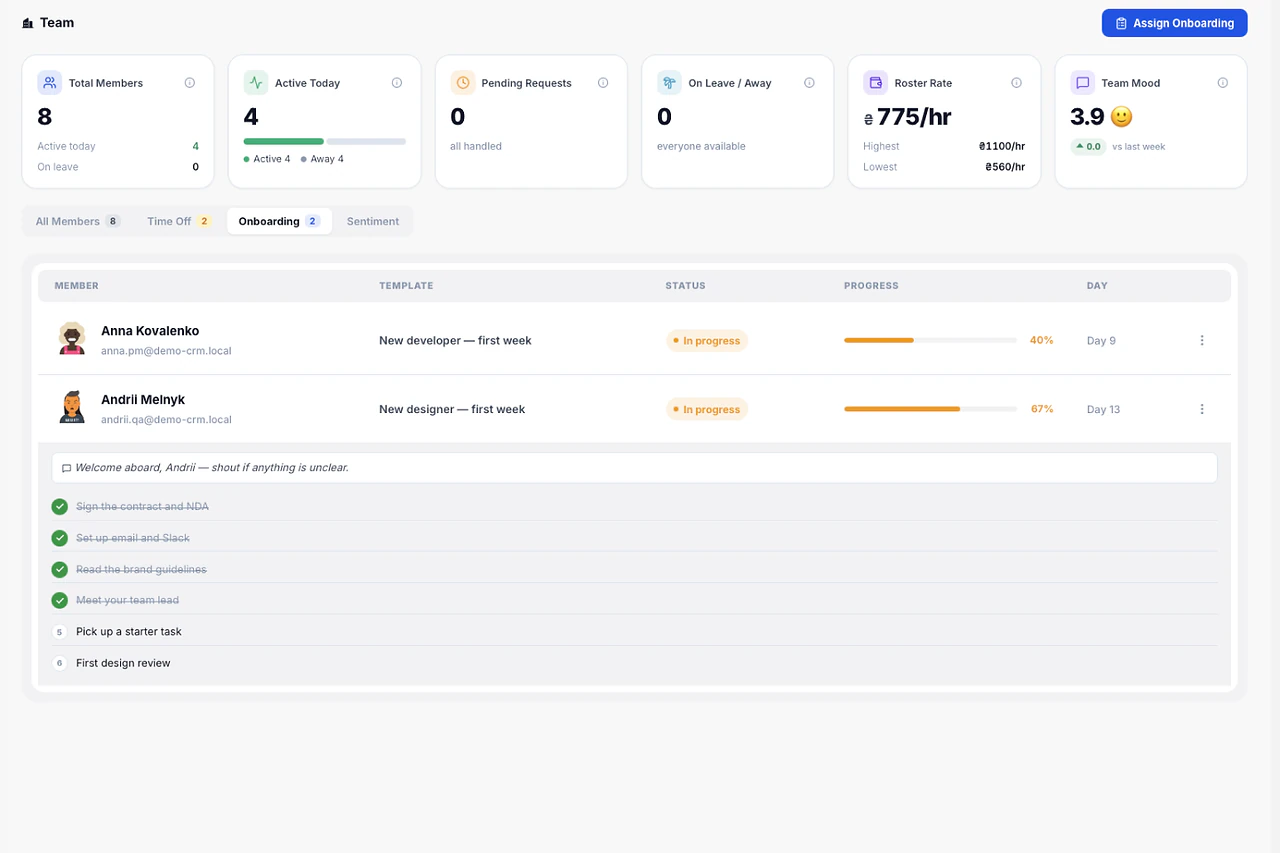
Smart Onboarding · 11 / 28
A personal checklist for every new hire.
Role-based onboarding checklists that new team members manage themselves. You see progress; they see what is next.
See details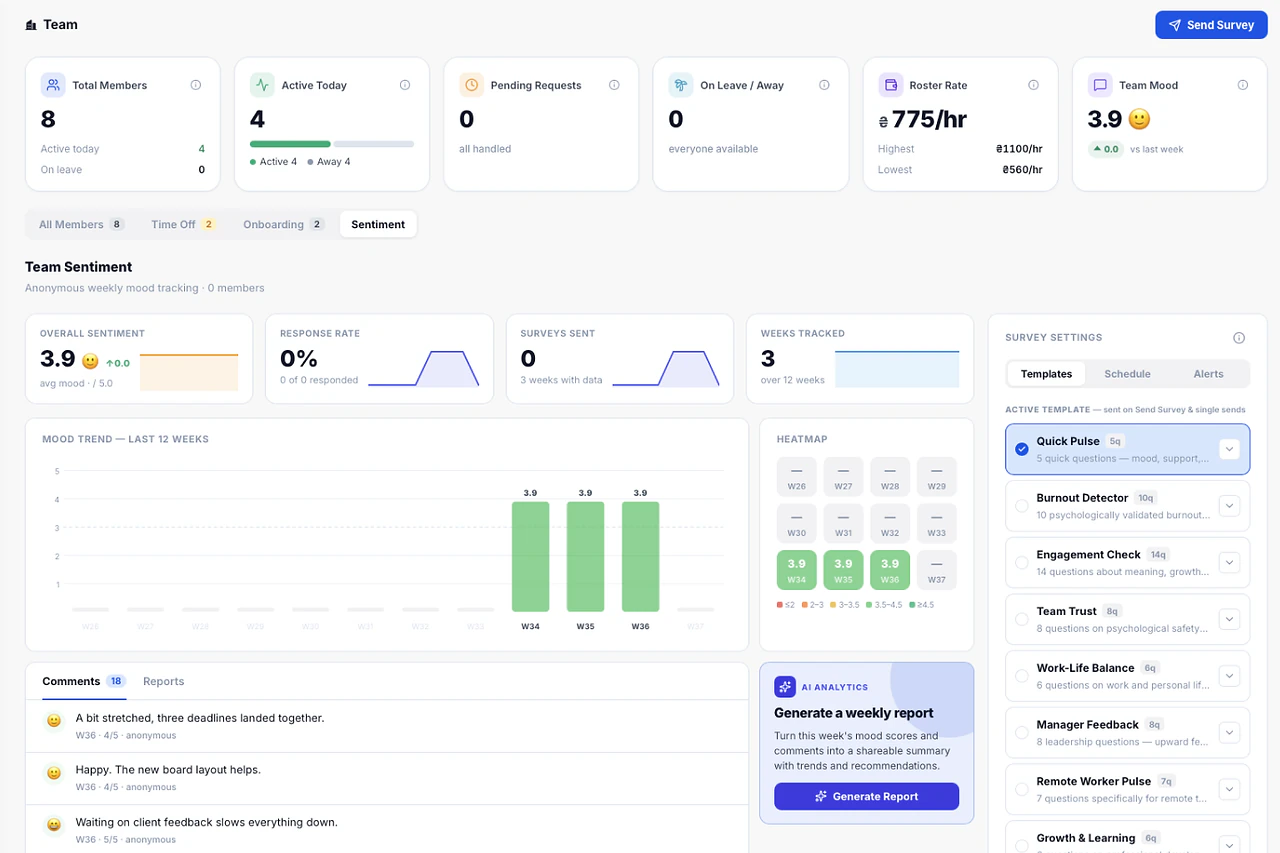
Team Sentiment · 12 / 28
Spot burnout before the resignation.
Quick weekly check-ins build into a team-wide sentiment trend over time.
See details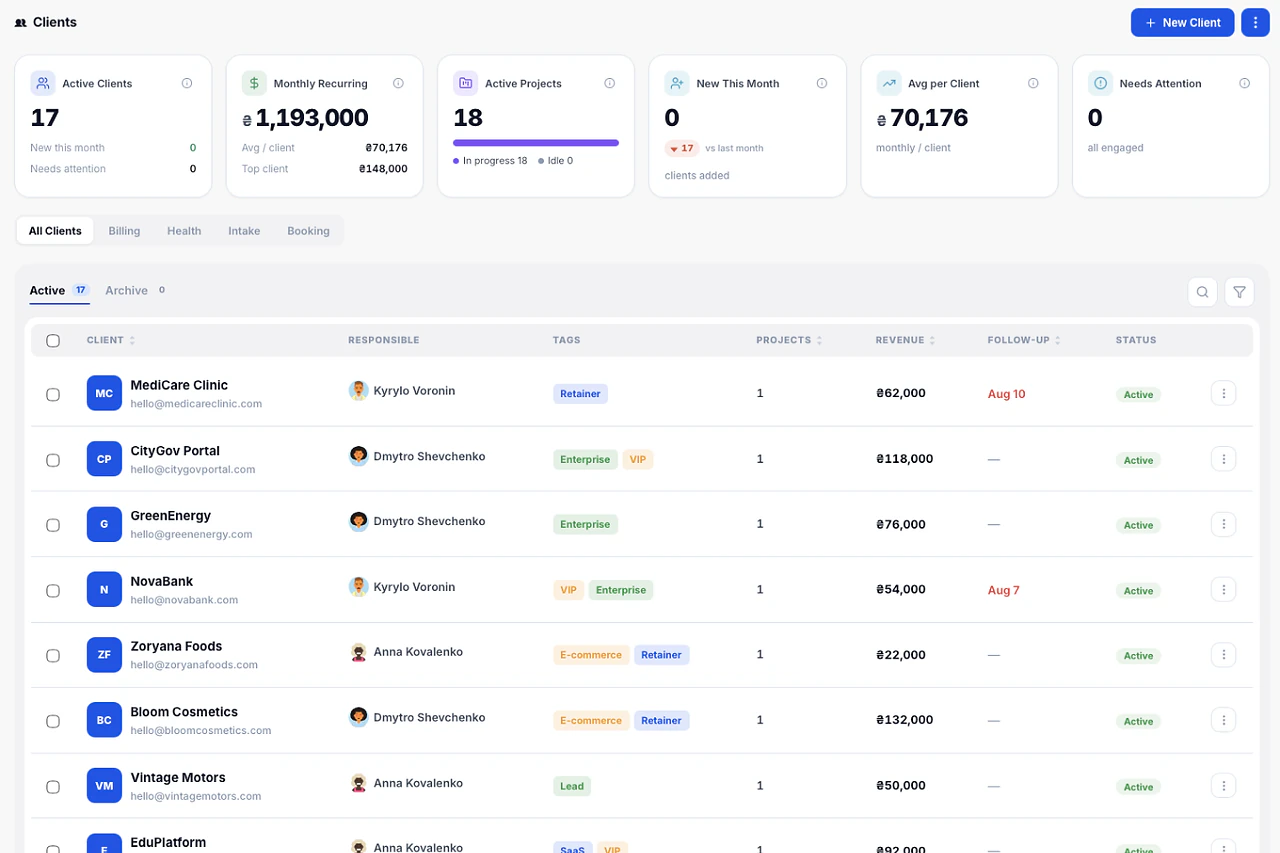
Clients · 13 / 28
Every client with projects and payments.
Client cards hold contacts, files, projects and payment history. A health status shows which relationships need attention.
See details
Invoice Tracking · 14 / 28
See what is owed, and for how long.
Unpaid invoices are grouped into 0-30, 31-60 and 60+ day buckets, so collection effort goes where the money is at risk.
See details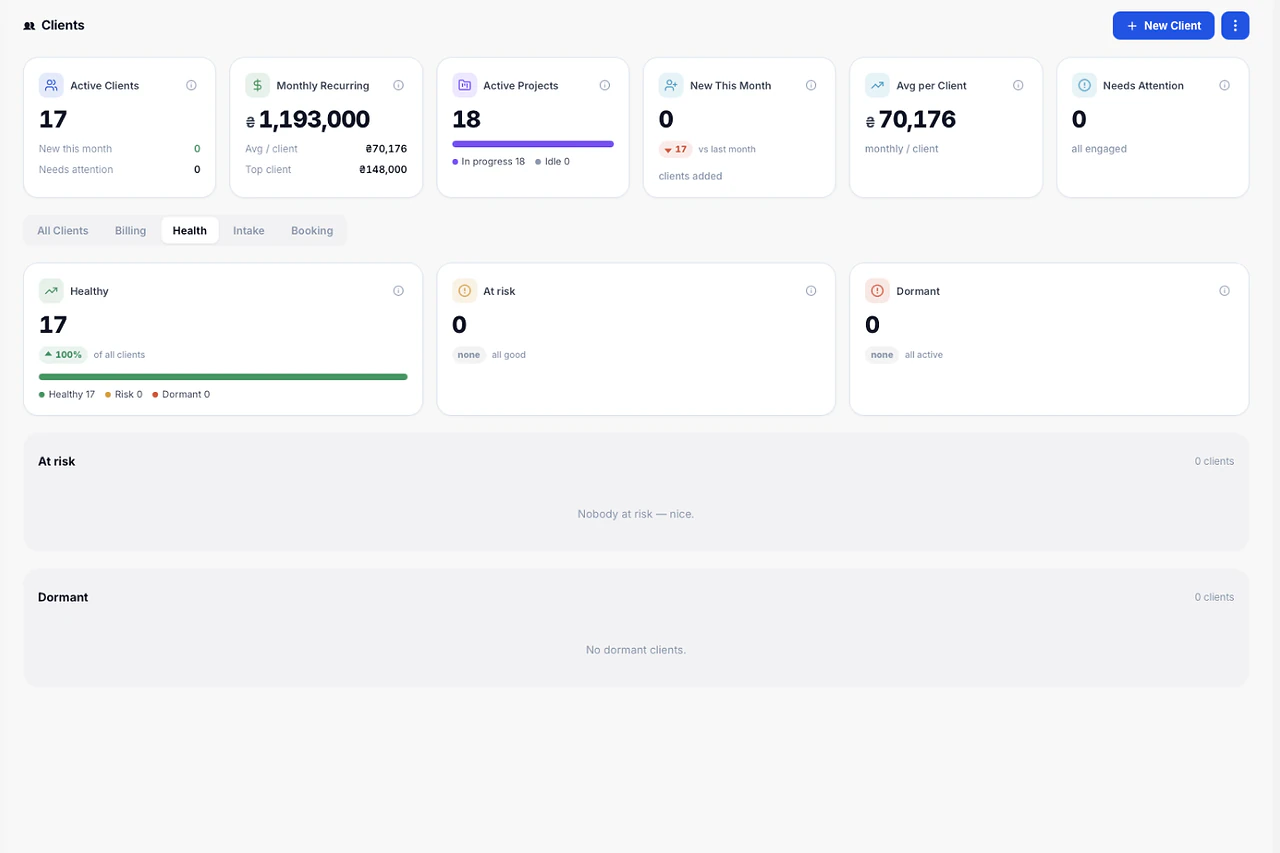
Project Health · 15 / 28
On budget or not — at a glance.
The portfolio shows which projects are within budget and which have already burned 80% or more, without opening each one.
See details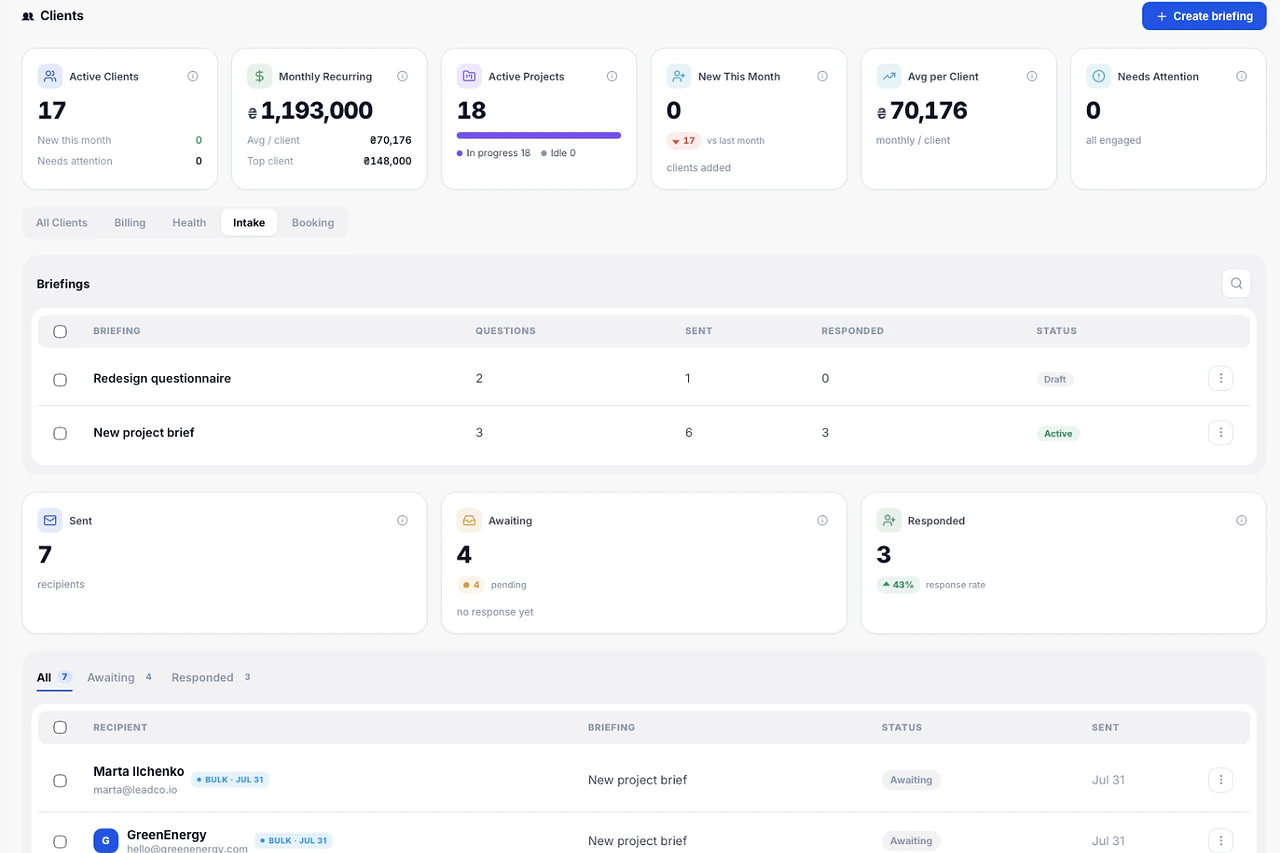
Client Briefing · 16 / 28
A structured brief before the first task is created.
A briefing form the client fills in once. Goals, scope, references and constraints land on the client record, not in five email threads.
See details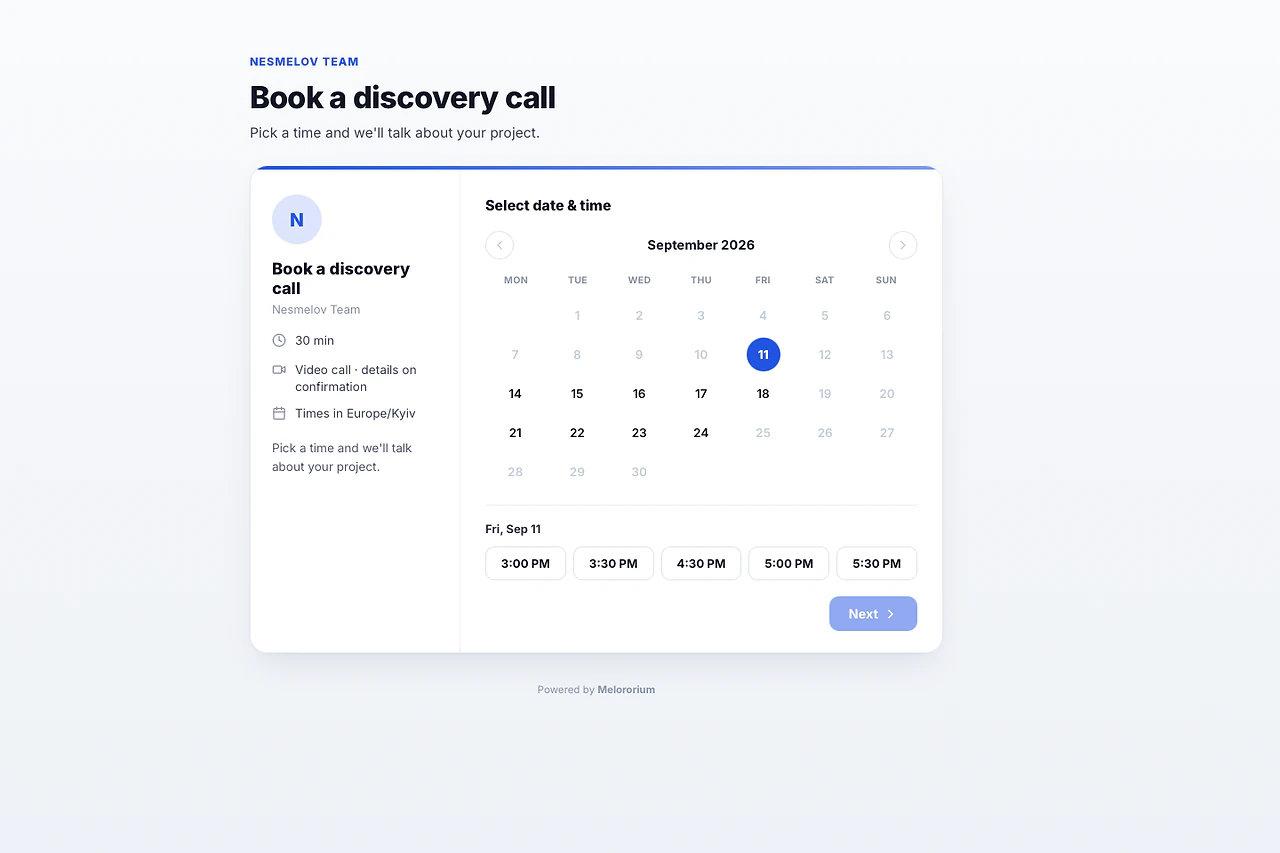
Booking Page · 17 / 28
Let clients book a call without the email thread.
A public booking link with working hours and meeting length you control. Double-booking is prevented automatically.
See details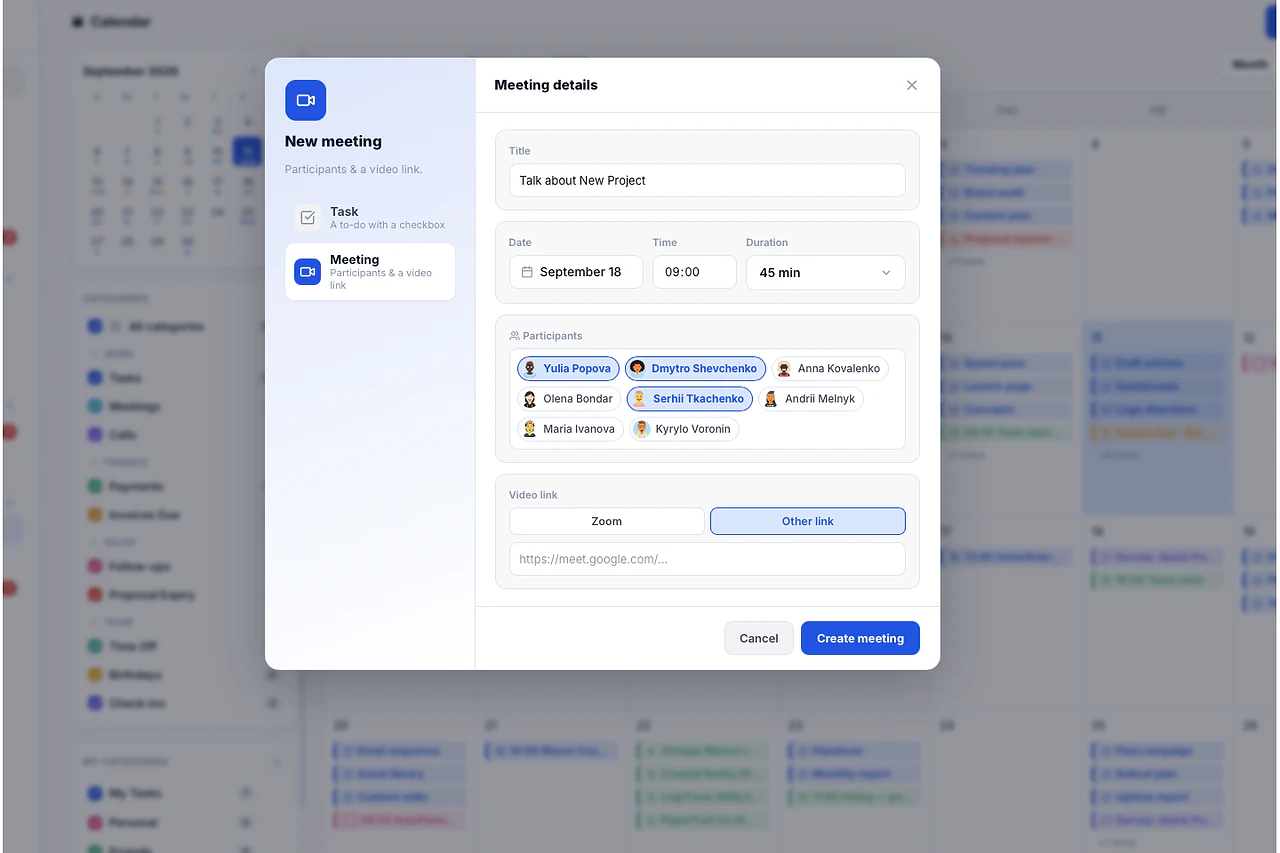
Meetings · 18 / 28
Schedule a meeting with the team or a client in seconds.
Create a meeting from the calendar or straight from a task, with attendees and a call link. No separate scheduling app.
See details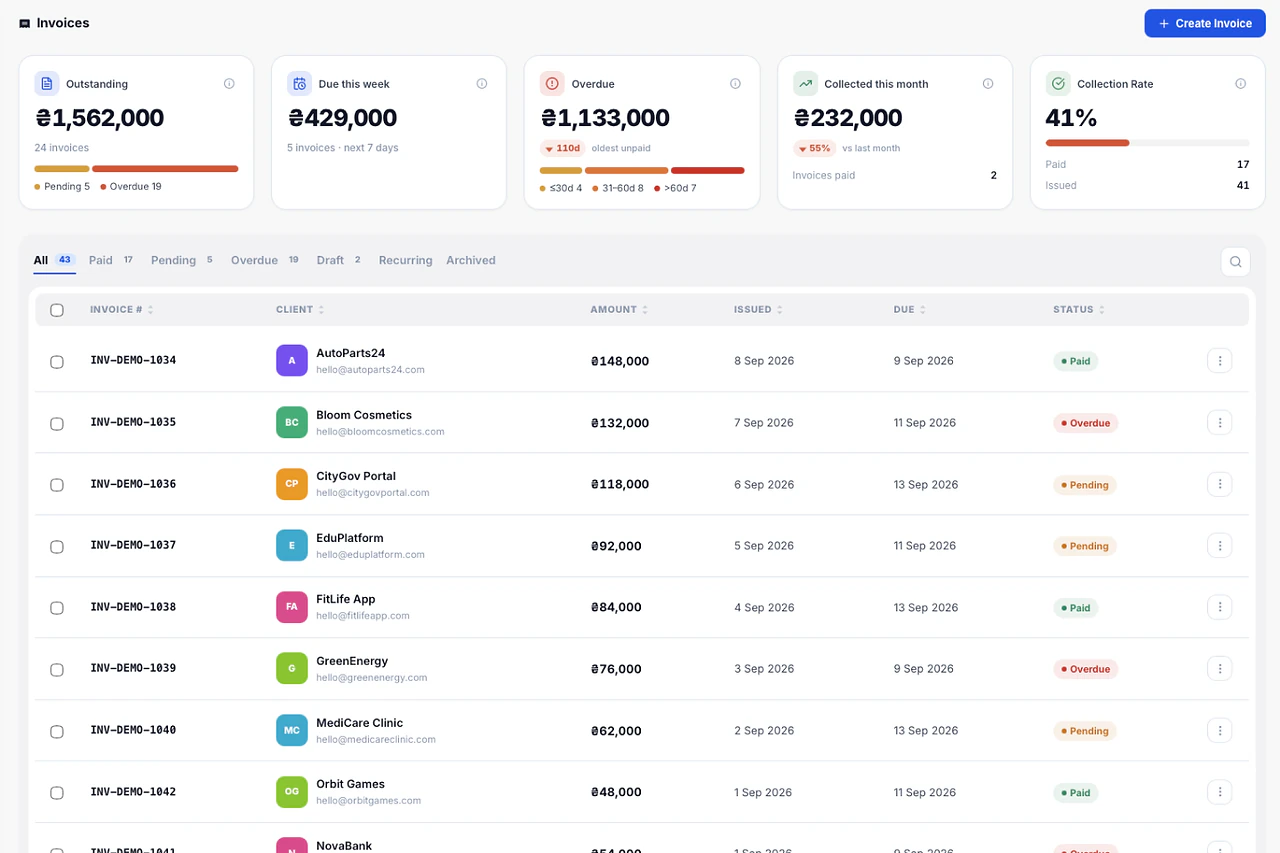
Invoices · 19 / 28
Invoices built from tracked hours.
Load closed tasks for the period, review the lines, send the PDF. Hours logged on tasks become invoice lines without retyping anything.
See details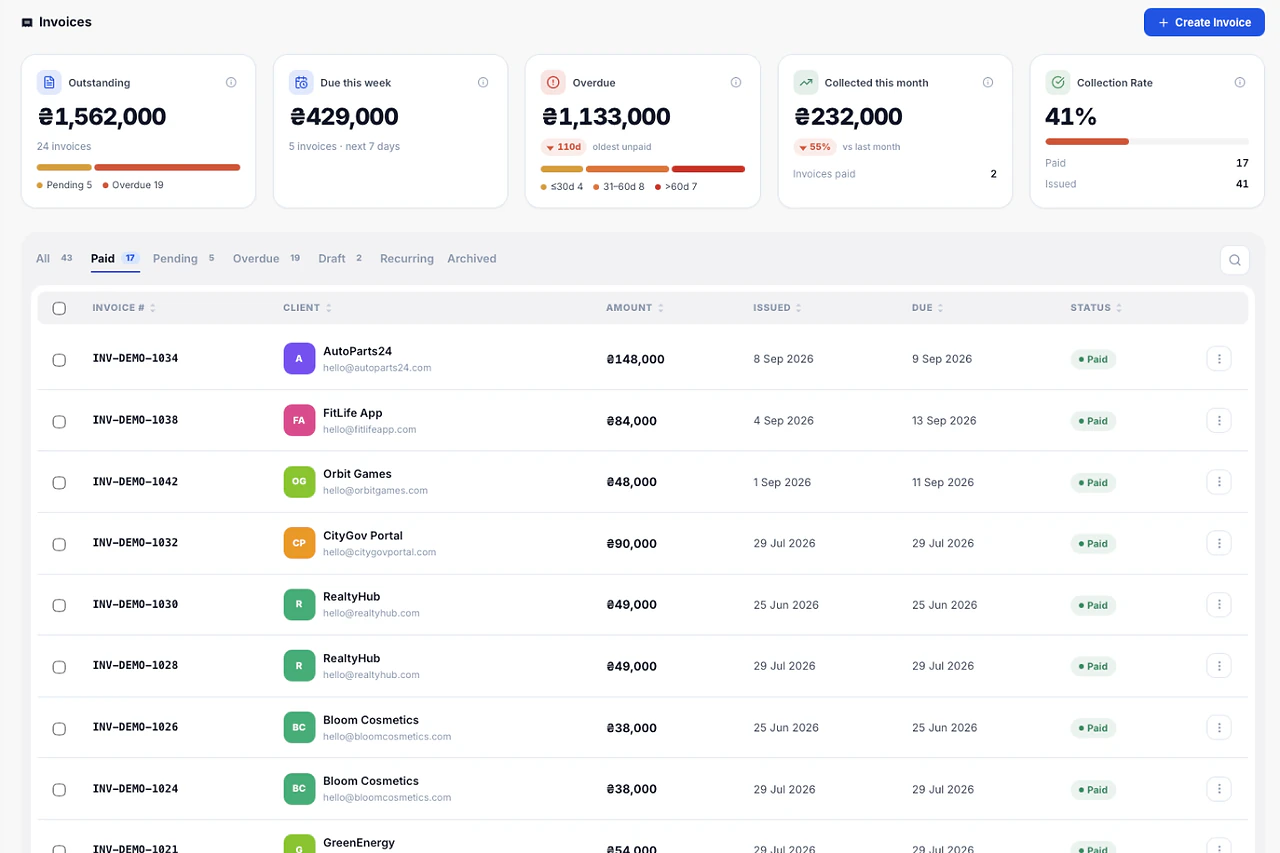
Proposals · 20 / 28
From proposal to project in one click.
Send a proposal, track when it's viewed, and the moment the client accepts, the project creates itself with the agreed scope and budget.
See details
Time Tracker · 21 / 28
Timers live inside the task, not in a separate app.
Start a timer on any task from the sidebar. Live Timers shows who is working on what right now, across the whole team.
See details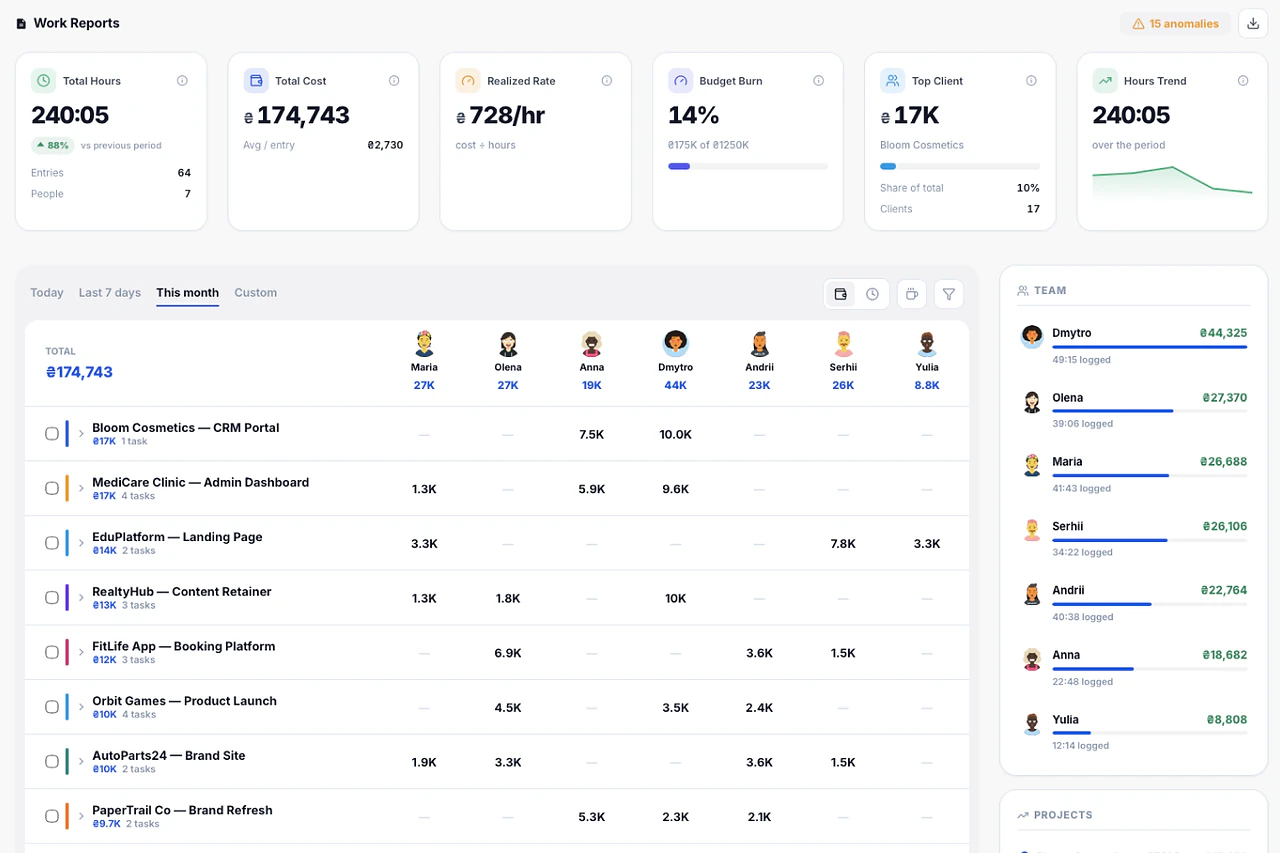
Work Reports · 22 / 28
Hours by project and by person, in one matrix.
Filter by date range, expand any row to task level, and export to PDF or Excel.
See details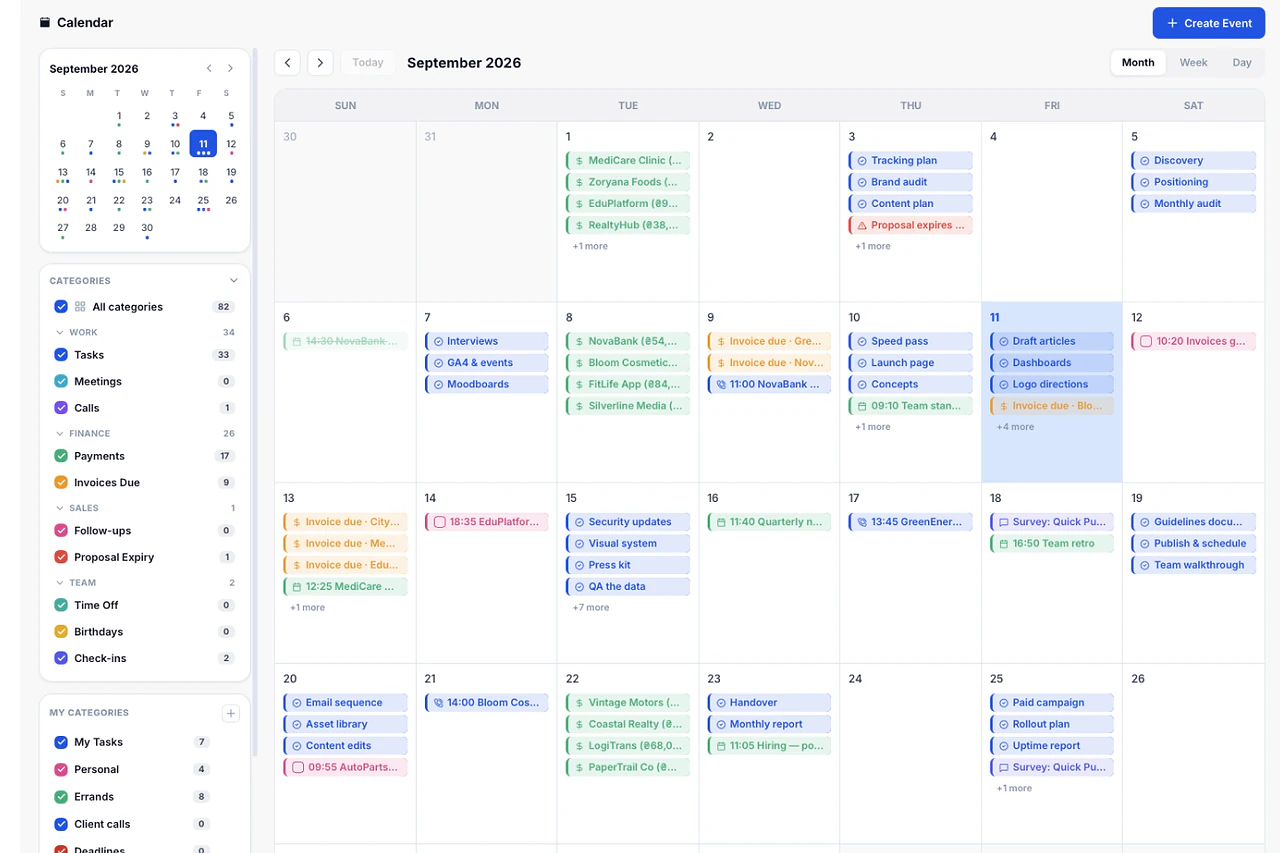
Calendar · 23 / 28
Deadlines, payments, meetings and time off, together.
One calendar for the whole team. Tasks, invoice due dates, birthdays and vacations on the same grid.
See details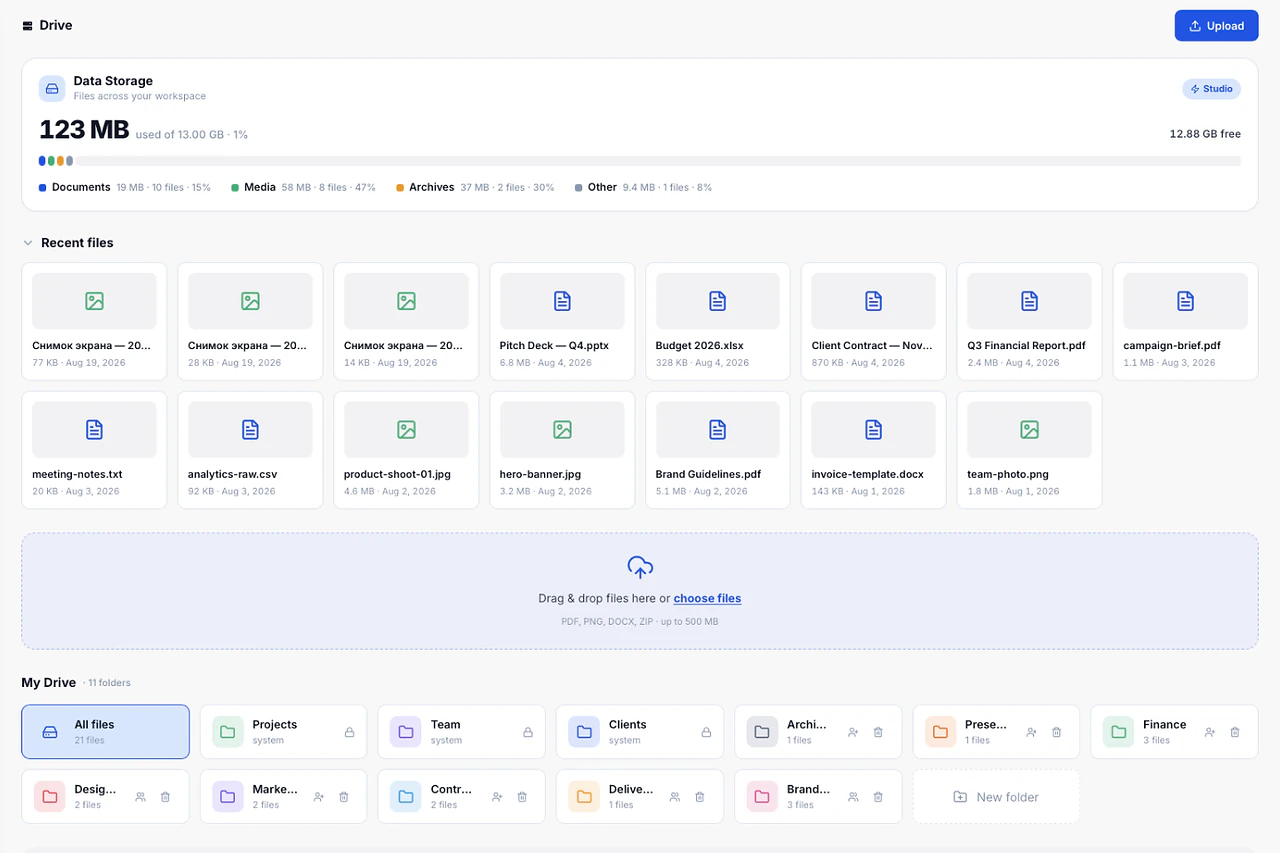
Drive · 24 / 28
Files organized by client and project.
Briefs, contracts, sources and deliverables live where the work happens, with storage usage visible on the dashboard.
See details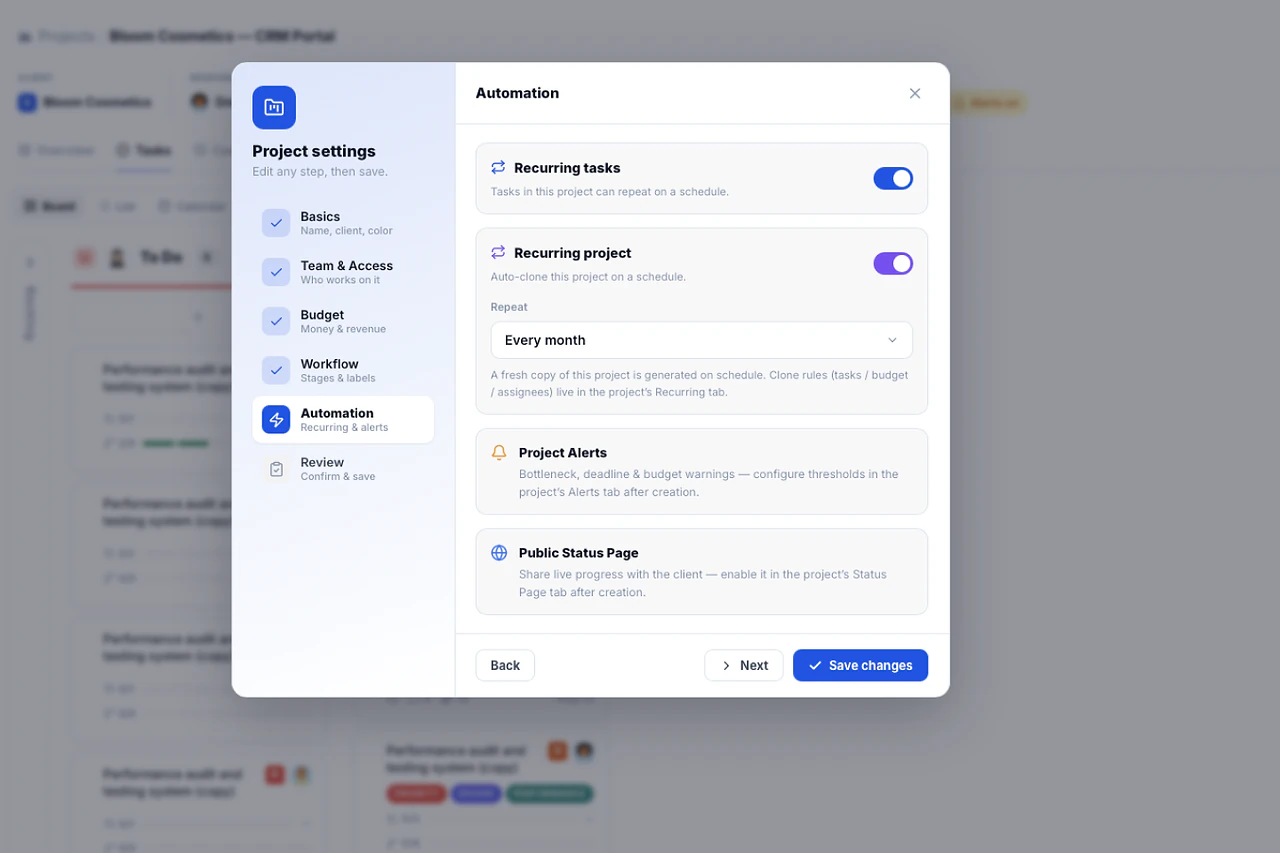
Recurring Projects · 25 / 28
Monthly retainers that set themselves up.
A retainer project clones on schedule with the same task structure and reset statuses. No copy-paste on the first of the month.
See details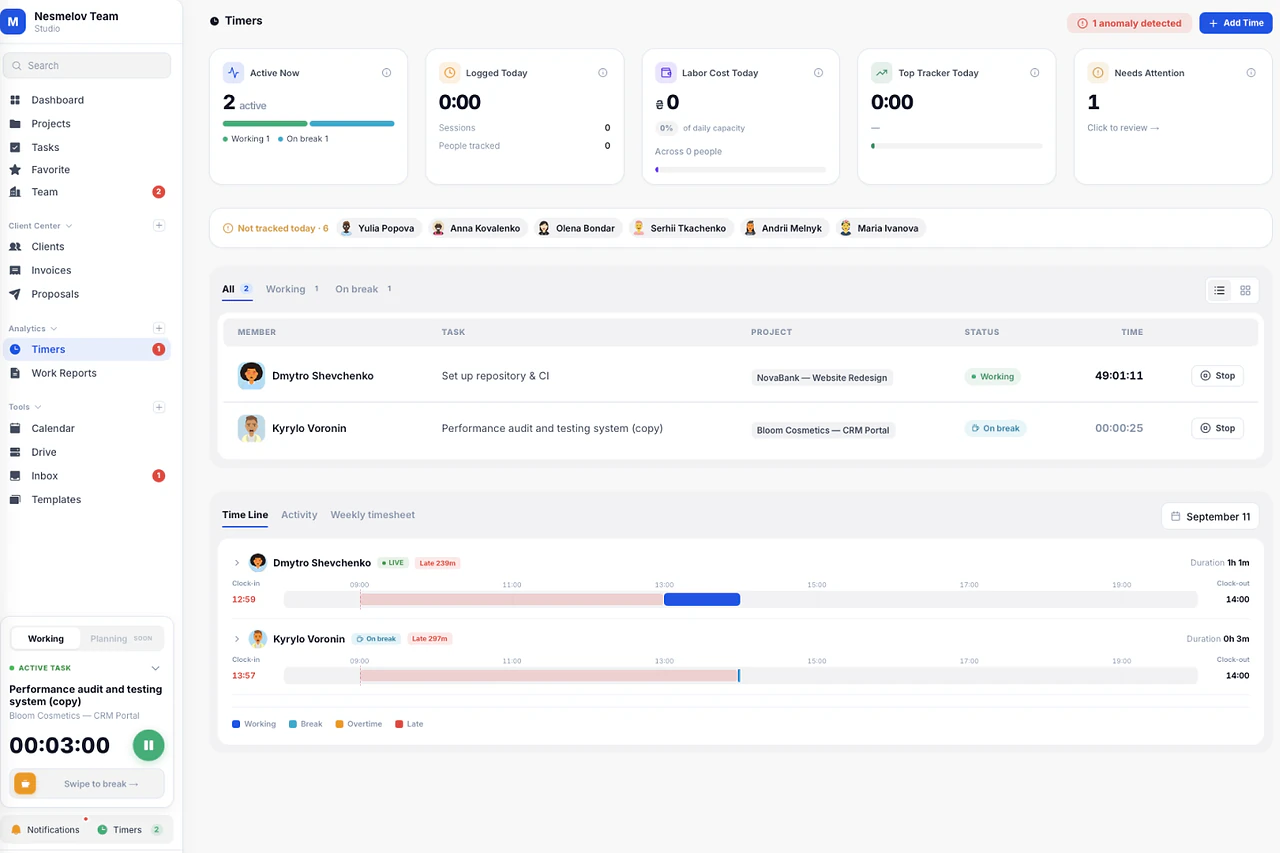
Recharge · 26 / 28
A break timer that protects focus.
Scheduled breaks pause the work timer and show the team who is recharging, so long sessions don't quietly turn into overtime.
See details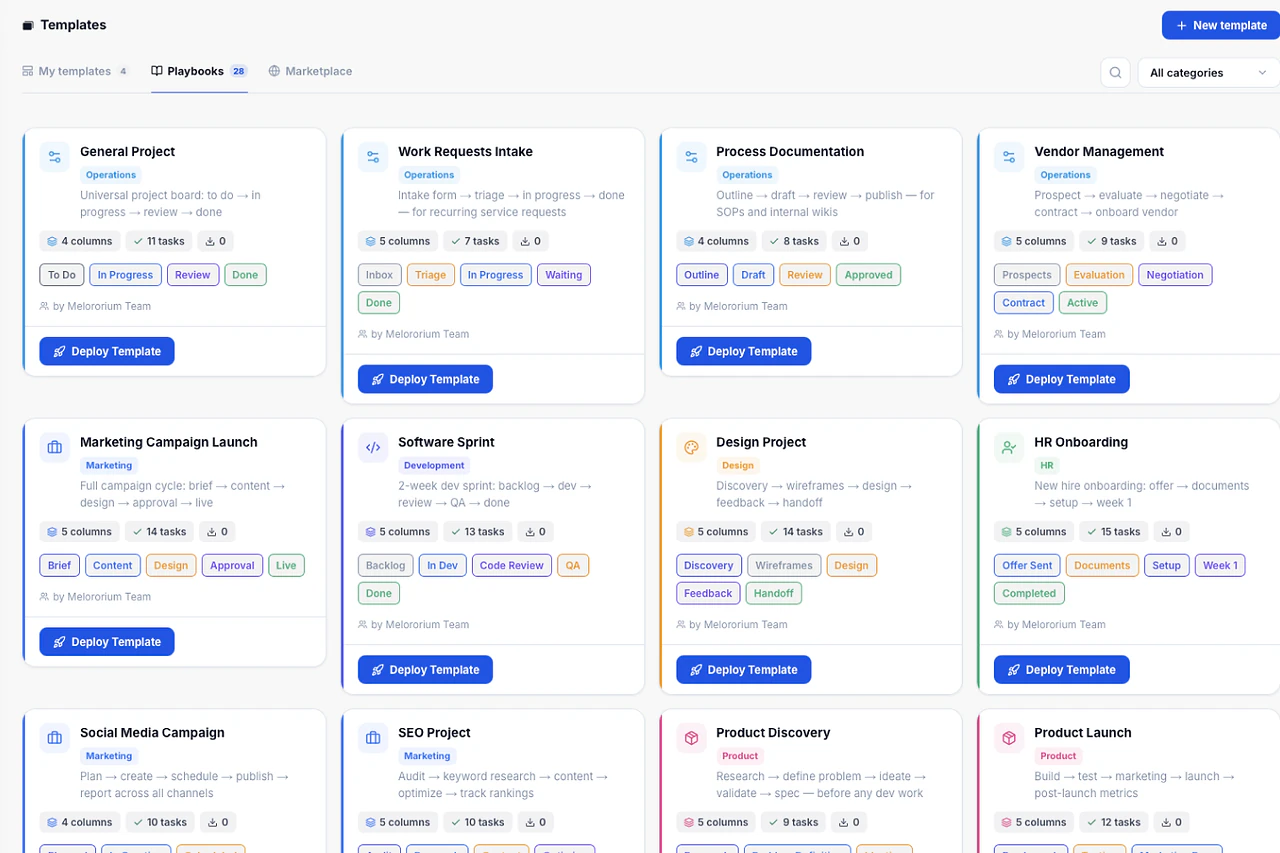
Smart Templates · 27 / 28
Any project running in under 10 minutes.
Templates with tasks, phases and roles already in place. Pick one, name the client, and the board is ready.
See details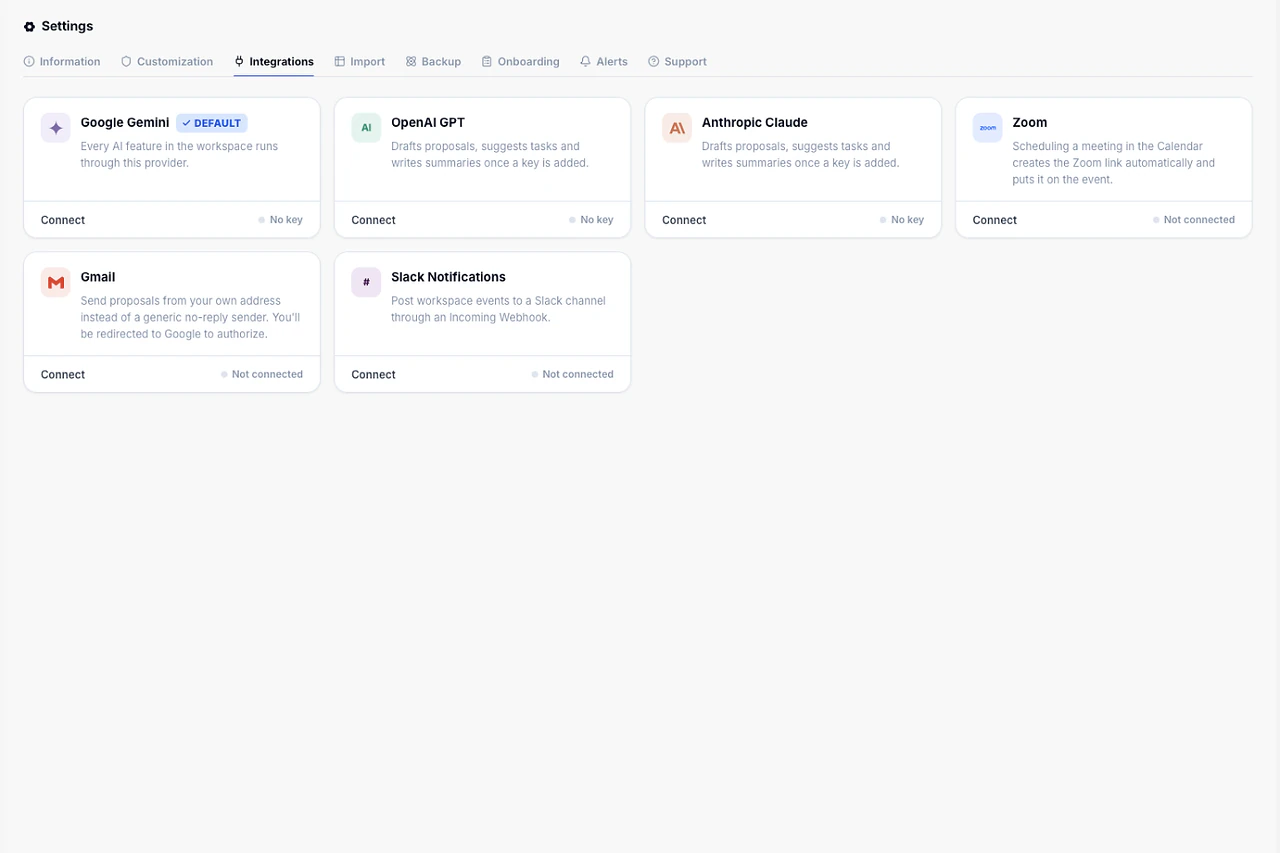
Integrations · 28 / 28
Connected to the tools your team already uses.
Slack, email delivery and your own AI key. Turn on only what you need — no per-integration fees.
See detailsCore tools, same price at 4 users or 25
12
From tracked hours to client invoice
1-click
Budget alert, before you overspend
80%
Extra apps needed to run your team
0
FINANCIAL CONTROL
See Your Margin While There's Still Time to Fix It.
Budget burn forecasts how many days of runway are left. Revenue, receivables and collection rates update live — no waiting for the accountant to tell you a project lost money.
See Budget Guardian & more →Know you're over budget before the invoice does.
A live forecast shows exactly how many days of runway are left, based on your actual spending pace.
Every number explains its own math.
Net Profit, Client Revenue, Receivables — hover any KPI and see the formula behind it.
See what you actually bill, not what's on paper.
Realized Rate compares your real blended hourly rate against what's configured for the team.
See which clients are actually worth keeping.
Profit by Client nets revenue against tracked-time cost, client by client.
Know what percentage of invoices actually get paid.
Not just sent, paid. Collection Rate tracks the number that matters.
INDUSTRIES & ROLES
Built for teams of 4–25 people.
Whether you run an agency, a studio, or a tight product team — Melororium gives your whole crew one workspace, one price. No seat tax.
Explore all solutions →See more solutions
17 industries and 4 use cases, each with its own page and templates.
FLAT-FEE PRICING
One price.
Whole team. No seat tax.
Add 1 team member or 10 — the price stays the same. One flat monthly fee for your whole team. No seat tax, no per-user billing.
Demo
14 days free. No credit card.
What's included:
- Every Core Module (Kanban, CRM, Invoicing & more)
- Full Agency Toolkit Included: Budget Guardian, Smart Templates & 3 More
- No Credit Card Required
- Expires after 14 days
Starter
For small teams.
Core features included:
- Kanban & Time Tracking
- Client CRM & Invoicing
- Work Reports & Anomaly Detection
- Recurring Projects
- BYOK AI
- No add-on modules included
Agency
For growing agencies.
Everything in Starter, plus:
- Backup & History
- Smart Templates
- Budget Guardian
- Team Sentiment
- Project Alerts (AI)
Studio
For larger studios.
Everything in Agency, plus:
- Smart Onboarding
Coming soon:
- Document BuilderSoon
- Invoicing ProSoon
- Client PortalSoon
- Client Intake FormsSoon
- AutomationsSoon
- AI AssistantSoon
How to start
Results From Day One.
No sales call, no setup fee — register today and your team is tracking real work by day three.
Try Melororium for freeQuick Start
- Start your free 14-day demo — no credit card
- Invite your team, up to 4 people
- Set up your first project — Kanban board ready instantly
Your team already sees what's due and when.
Organize the Work
- Track time directly inside your tasks
- Set a budget on your first project
- Add your first client to the CRM
No scattered spreadsheets — hours, budgets, and clients live in one place.
See Results
- Generate your first Work Report, PDF ready
- Turn tracked hours into a client invoice, one click
- Check your Dashboard — revenue, hours, forecast
You already know what each project costs — and what it's making you.
EARLY FEEDBACK
See what teams say about Melororium.
Early adopters from agencies and studios share how ditching the subscription stack changed how their teams operate.


Clara Moss
Founder, Mossglow Studio
"I had a successful shop and absolutely no idea if I was actually making money."


Tom Brauer
Founder, Linkframe
"I was paying to make my own life harder."


Marcus Webb
Founder, North Signal Studio
"Every Friday felt like an archaeology dig."
Built for modern digital operations.
Join the early adopters scaling their business layout with Melororium.
PRODUCT FAQ
Frequently
Asked Questions
Have a question that needs a human to answer?
No problem, email us at support@melororium.com
Starter ($29/mo) fits teams of up to 4: a small in-house team or a solo founder running an agency. It includes all 12 core modules (Dashboard, Kanban, Projects, Calendar, Team, Client CRM, Invoices, Work Reports, Live Timers, Inbox, Time Tracker, Settings) and 3 GB of shared storage. Agency ($59/mo, most popular) covers up to 15 users, 9 GB of storage, and adds 6 live modules on top: Backup & History, Smart Templates, Budget Guardian, Team Sentiment, Project Alerts (AI), and Proposals. Studio ($119/mo) covers up to 25 users, 13 GB of storage, and adds Smart Onboarding plus first access to every module still in development. All three bill monthly or yearly, annual saves about 30%.
Melororium checks your active member count against your plan's limit (4 / 15 / 25) every time you send an invite. Once you hit it, inviting a new member is blocked with a direct message: "User limit reached, upgrade your plan to invite more members." No silent overage billing, no surprise charge. You upgrade when you're ready, the switch is prorated automatically, and nothing you've built gets touched.
Per-seat tools charge you again for every hire. A 10-person team on ClickUp or Monday pays around $1,440/year just in seats, climbing every time the team grows. Melororium charges one flat price for the whole workspace: $29, $59, or $119 a month, whether you're 4 people or 25. Add 5 more hires this quarter and your bill doesn't move.
Data in transit is encrypted with TLS 1.3. Every workspace's data sits in its own separated database space, not a shared table filtered by workspace ID. File uploads are checked against a blocklist that rejects executable and script files (.exe, .sh, .js, .html, .svg and similar), blocking stored-XSS attacks, capped at 50 MB per file. AI features run on Bring Your Own Key: you provide your own Gemini, Claude, or OpenAI key, and it's never used to train a model or shared with us for anything else.
Not as a full team member yet: Client Portal is in development for Studio. Today, every plan, including Starter, gets a free Public Status Page: a link you send a client that shows live project progress. It's a one-way window into your work: live progress, no back-and-forth messaging, included at every price point today.
Dashboard, Kanban, Projects, Calendar, Team, Client CRM, Invoices, Work Reports, Live Timers, Inbox, Time Tracker, and Settings. These ship identically on every plan, including Starter at $29/mo. Nothing core is held back to push you toward a bigger tier.